Pocket Galaxy
That idea for Pocket Galaxy came to life during the Brackeys Game Jam 2026.1, a week-long jam with the theme “Strange Places”. One week. That’s it. And somehow, what began as a small experiment ended up becoming a full first-person exploration game with five unique worlds, a spaceship hub, and a gravity system built entirely from scratch.
So day one started with a lot of questions, but one sounded almost too simple: what if you could walk around an entire planet? Not a massive open world, but a tiny, self-contained sphere where gravity always pulls toward the center and the horizon literally wraps around you. And second… how do we fit this into the jam theme?
I had the opportunity to team up with Batzzer and Heidozanzo, coworkers who also share my enthusiasm for game jams, so teaming up felt like a natural fit. Their collaboration made the experience even more rewarding, bringing different perspectives, shared decision-making, and plenty of late-night problem solving.
The Worlds
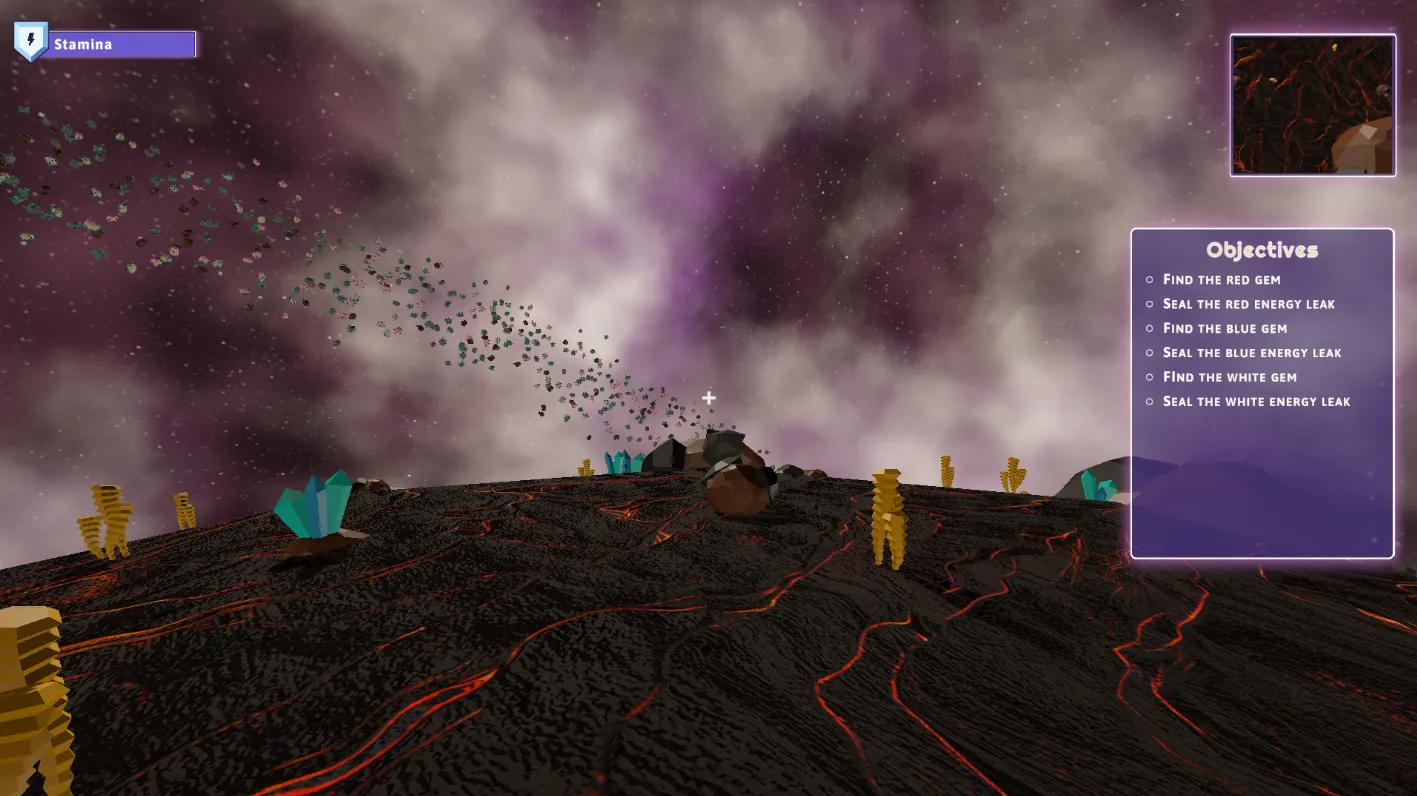
By the end of day one, the core idea was straightforward: the player descends from a spaceship onto a tiny world, explores its entire surface, completes an objective, and returns. But once we started building, we realized that “tiny worlds” meant each one needed to feel genuinely different, not just look different. So we gave each planet its own mechanics, its own mood, its own reason to exist.
That led to some early architectural decisions that ended up saving us a lot of time. Every planet is built as a prefab that follows a shared structure: a sphere with a GravityAttractor at its center, a player with a GravityBody, an ObjectiveTracker with its specific objectives, and an ExtractionPoint that sends you back to the ship when you’re done. The planet-specific content, terrain, vegetation, interactables, is layered on top. This meant we could spin up a new world without touching the core systems. Just build the prefab, wire the objectives, and the framework does the rest.
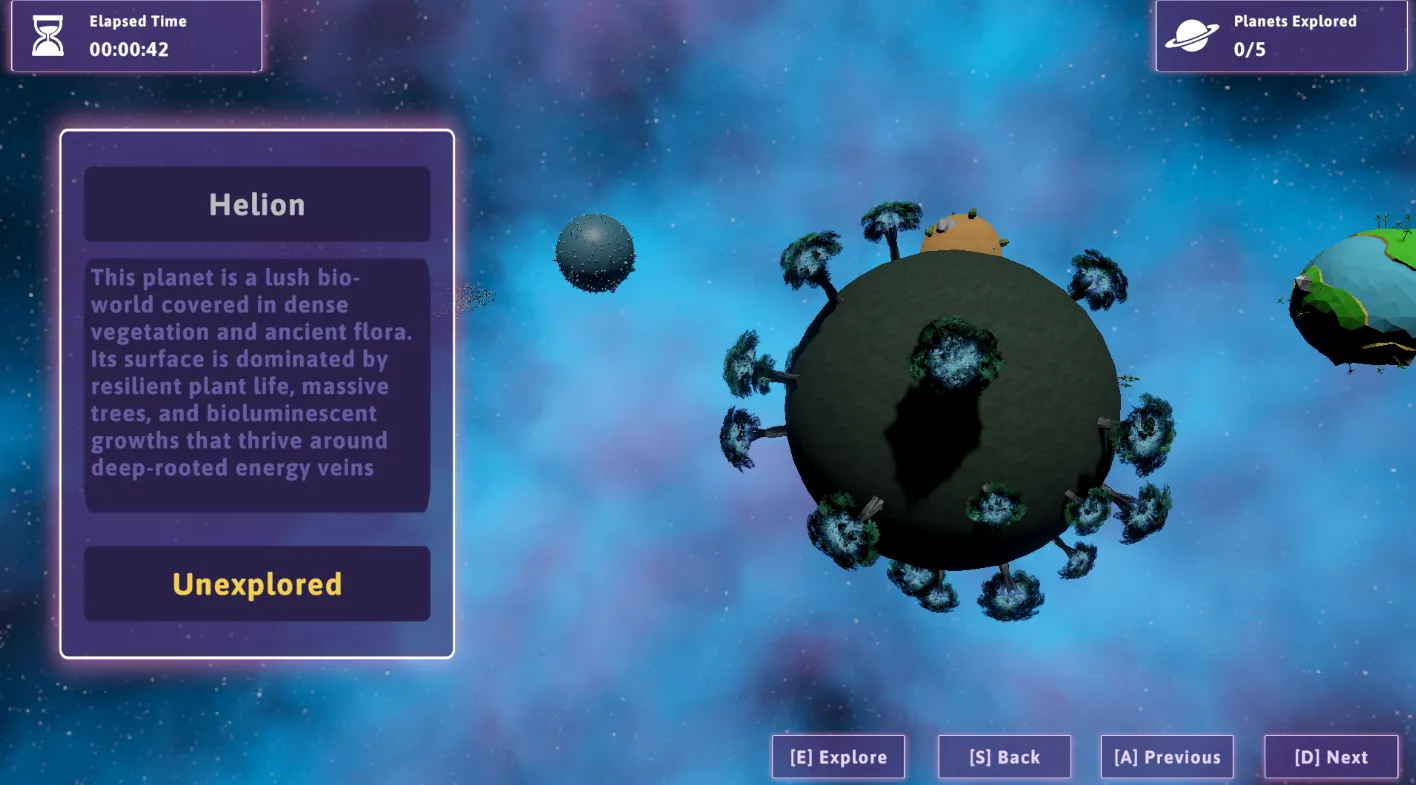
Each planet is also defined through a PlanetData ScriptableObject that holds its metadata: display name, description, the gameplay prefab, and a low-poly preview model for the carousel. That separation made it easy to manage content without digging into scene hierarchies.
Five planets made it into the final build, each one hand-crafted with its own look, feel, and objective:
- Helion, a lush bio-world dense with vegetation and bioluminescent growths
- Orionis, a scorched rock world of compressed magma and crystalline formations
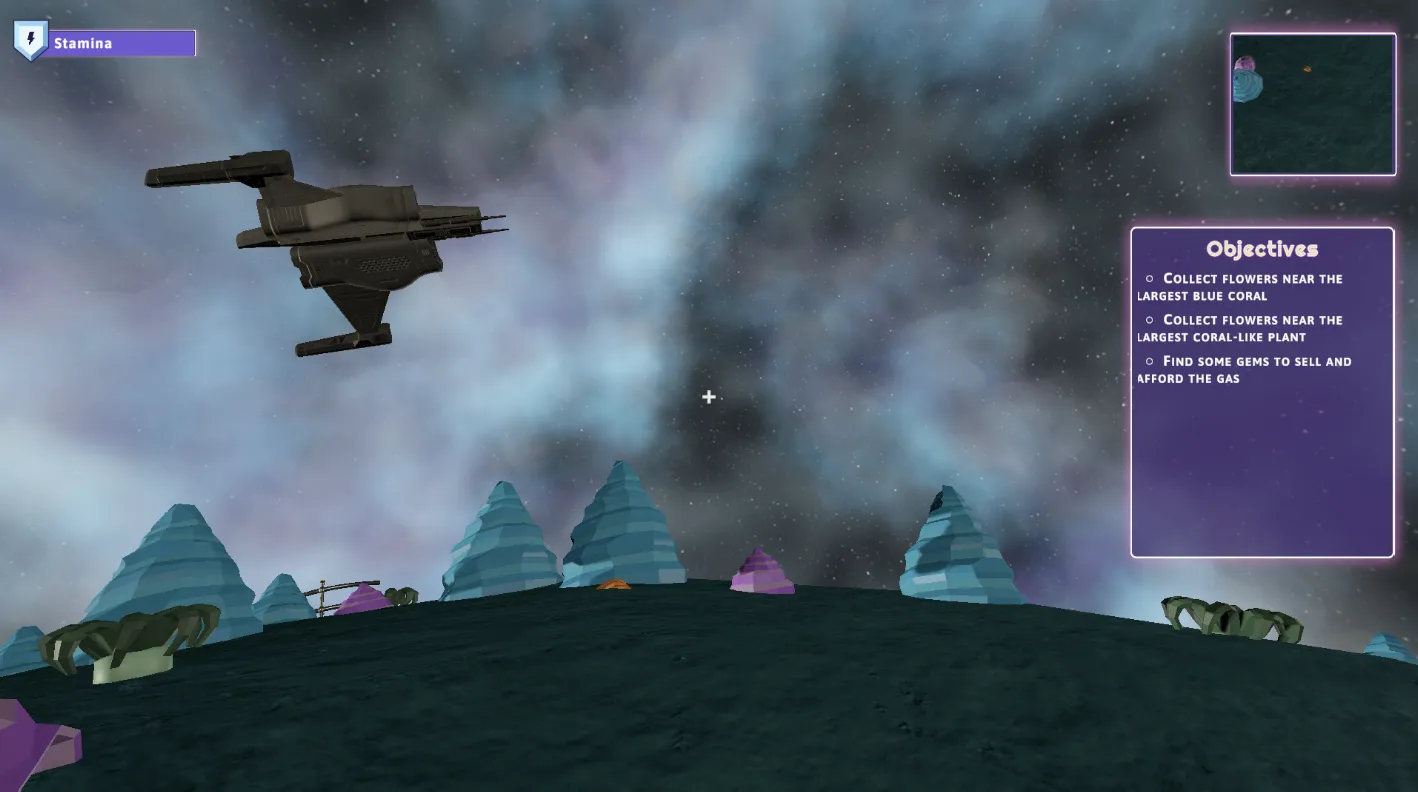
- Drakonis, a mineral-ocean world shaped by massive coral-like structures
- Tarkan, a wasteland of shifting sands hiding ancient ruins
- Earthcraft, a charming, simplified world where everything feels slightly… perfected
Every planet plays differently. Some ask you to collect things, others to reach a specific spot, others to interact with something hidden in the landscape. The idea was to make each world feel like its own little story, not just a reskin of the same task. Behind the scenes, the objective system supports four types: CollectObjective, InteractObjective, ReachObjective, and SequentialObjective (which chains steps in order). Each planet wires its own combination through the same framework, no special-case code needed.
Walking on Spheres
This was a challenge of those that defines everything else.
In Pocket Galaxy, gravity doesn’t pull downward. It pulls toward the center of whatever planet you’re standing on. That means you can walk around the entire surface seamlessly, the camera reorients naturally, and “up” is always just… away from the ground beneath your feet.
The system is split into two scripts that work together. GravityAttractor sits at the center of each planet and defines how gravity pulls. GravityBody is attached to the player (and any physics object that needs to stick to the surface). Every physics frame, the body asks the attractor to pull it in, and the attractor does two things: applies a force toward the center, and smoothly rotates the body so its “up” aligns with the surface normal.
Here’s the core of GravityAttractor.Attract():
public void Attract(GravityBody body)
{
    Vector3 gravityDir = (body.transform.position - transform.position).normalized;
    Vector3 bodyUp = body.transform.up;

    body.Rigidbody.AddForce(gravityDir * gravity);

    Quaternion targetRotation = Quaternion.FromToRotation(bodyUp, gravityDir)
                              * body.transform.rotation;
    body.transform.rotation = Quaternion.Slerp(
        body.transform.rotation, targetRotation, 15f * Time.fixedDeltaTime);
}
The Slerp on the rotation is what makes it feel smooth rather than snappy. Without it, walking over uneven terrain would jitter the camera constantly. The GravityBody side disables Unity’s built-in gravity and freezes rigidbody rotation so the attractor has full control:
private void Awake()
{
    Rigidbody = GetComponent<Rigidbody>();
    Rigidbody.useGravity = false;
    Rigidbody.constraints = RigidbodyConstraints.FreezeRotation;
}
On top of that, the player controller carries sprint with stamina, crouch, head bob, and FOV transitions, all adapted for curved surfaces where the concept of “flat ground” simply doesn’t exist. The controller decomposes velocity into radial and lateral components so gravity doesn’t fight your sideways motion. Getting all of that to feel right on a sphere was one of those problems that seems small until you’re deep in it.
Systems That Shaped the Game
Beyond gravity, a handful of systems ended up defining how the whole game plays. These are the ones that shaped Pocket Galaxy the most.
Objective Framework
This is probably the most architecturally interesting piece. We needed a way to give each planet its own quest without writing planet-specific logic. The solution was a polymorphic objective system built around an abstract Objective base class and Unity’s [SerializeReference] attribute.
The base class defines a simple lifecycle: Initialize(), Tick(), Cleanup(). Each concrete type implements that contract differently:
[System.Serializable]
public abstract class Objective
{
    public abstract string Description { get; }
    public abstract bool IsCompleted { get; protected set; }
    public event System.Action Completed;

    public abstract void Initialize();
    public abstract void Tick();
    public abstract void Cleanup();

    protected void NotifyCompleted() { /* fires events */ }
}
From there, we built four concrete types: CollectObjective listens to onInteract events on a list of items and counts them. InteractObjective completes on a single interaction. ReachObjective checks player distance to a target every frame. And SequentialObjective composes other objectives in strict order, activating one step at a time and advancing on completion.
The ObjectiveTracker component on each planet holds a List<Objective> via [SerializeReference], which means the Unity inspector lets you mix and match objective types per planet. It initializes them, ticks them every frame, listens for completion events, and updates the HUD. When all objectives are done, it fires onAllCompleted, which triggers the extraction sequence.
The beauty of this setup is that adding a new objective type means writing one small class. No tracker changes, no HUD changes. It just works.
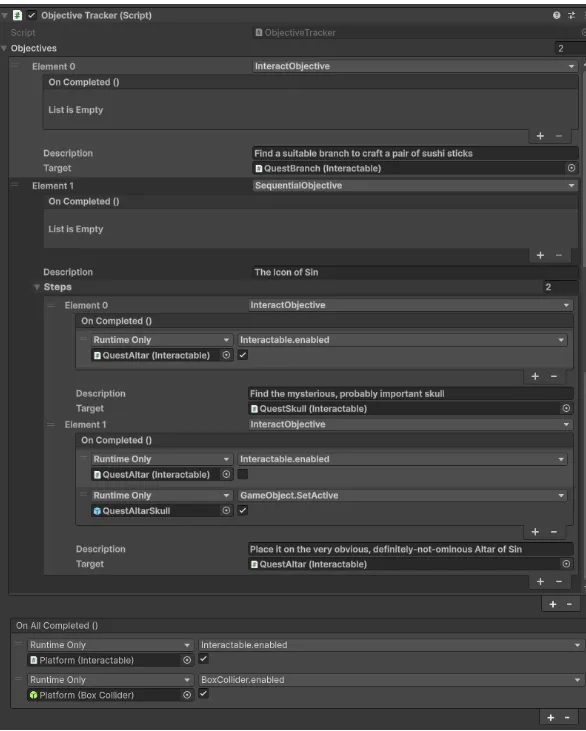
To give a concrete example, here’s how the quests are set up for Tarkan. This planet has two parallel objectives running at the same time:
The first one is a simple InteractObjective: find a suitable branch to craft a pair of sushi sticks. In practice, that means the player walks up to a small tree that has an Interactable component attached and presses E. One interaction, objective done.
The second one, “The Icon of Sin”, is where things get more interesting. It’s a SequentialObjective with two ordered steps:
- Find the skull — The player interacts with a game object (
QuestSkull) that also carries anInteractablescript. But here’s the subtle part: the completion event on this step is wired to enable the interaction on the next target. Without completing step 1, the altar in step 2 simply doesn’t respond. This small detail turned out to be incredibly powerful… it let us model quest dependencies entirely through editor wiring, no custom code needed. - Place the skull on the altar — Once step 1 is cleared, the player interacts with the altar. On completion, the event enables a hidden game object above the altar to give the visual effect of placing the item. Just visuals, but it sells the moment and shows how versatile the
UnityEventhooks really are.
Once both objectives are complete, the ObjectiveTracker detects that everything is done and fires onAllCompleted. This event is part of the base planet prefab structure, not specific to Tarkan, and what it does is enable the components on the extraction point platform so the player can return to the ship and finish the level.
Interaction System
The interaction system follows a similar philosophy: one system, reused everywhere. It’s built around an IInteractable interface and a central RaycastInteraction component attached to the player.
public interface IInteractable
{
    string InteractionPrompt { get; }
    bool Interact(RaycastInteraction interactor);
    void OnFocusEnter();
    void OnFocusExit();
}
Every frame, RaycastInteraction fires a ray from the camera and checks if it hits something that implements IInteractable. If so, it calls OnFocusEnter() to show the interaction prompt on the HUD. When the player presses E, it calls Interact(). When the ray leaves, OnFocusExit() cleans up. The default Interactable MonoBehaviour exposes UnityEvent hooks for onInteract, onFocusEnter, and onFocusExit, so we can wire up behavior directly in the inspector without touching code.
This same system handles collecting gems, activating extraction points, interacting with objects in the hub… everything goes through the same raycast pipeline.
Hub and Carousel
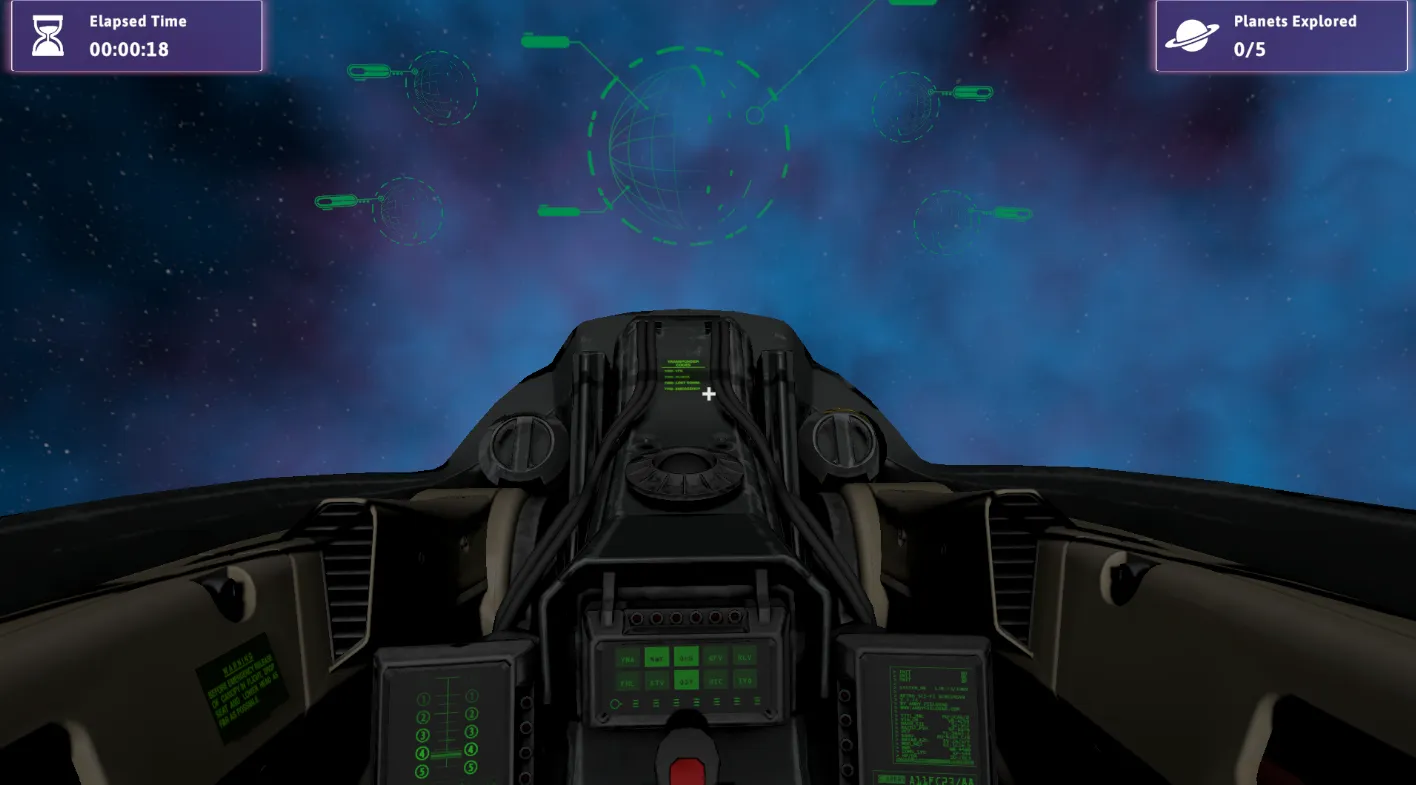
Between planets, you’re aboard a small spaceship. The idea was to give the player a sense of place between missions, not just a menu screen. A 3D carousel lets you browse and select your next destination, with spinning planet previews and color-coded indicators: red for locked, yellow for unexplored, green for cleared. The hub scene runs its own state machine handling the intro cinematic, free-look camera, carousel navigation, and an endgame panel that tracks your overall progress.
Scene Architecture
All planets share a single PlanetaryScene. When you select a planet, the PlanetaryController reads GameManager.CurrentPlanet from our singleton instance, spawns the corresponding prefab, and injects the HUD into all components that need it via an IPlanetaryHUDConsumer interface. This kept load times short and the WebGL bundle manageable, since we’re not duplicating scene data across five separate scenes.
The goal with all of these systems was reusability. Adding a new planet means creating a prefab, setting up a PlanetData ScriptableObject, and wiring objectives in the tracker. The framework handles the rest, and that’s what allowed us to speed up the level-design process.
[CreateAssetMenu(fileName = "NewPlanet", menuName = "PocketGalaxy/Planet Data")]
public class PlanetData : ScriptableObject
{
    [Tooltip("Unique identifier for this planet.")]
    public string planetId;

    [Tooltip("Display name shown in the UI.")]
    public string displayName;

    [Tooltip("Short description shown in the carousel panel.")]
    [TextArea(2, 4)]
    public string description;

    [Tooltip("The full planet prefab instantiated by PlanetaryScene. Must include Player, ObjectiveTracker, LevelCompleteUI, and all environment.")]
    public GameObject planetPrefab;

    [Tooltip("Low-poly 3D model for the SpaceScene carousel preview.")]
    public GameObject previewPrefab;

    [Tooltip("If true, this planet starts as Unlocked. Otherwise starts Locked.")]
    public bool startUnlocked;
}
Built With
- Unity 6 LTS with the Universal Render Pipeline
- WebGL target, playable directly in the browser
- A collaboration between Nandez, Batzzer, and Heidozanzo over seven days
Getting the game to run well in the browser was its own battle, especially in the last couple of days. WebGL doesn’t forgive the same things a desktop build does. We ended up disabling MSAA, cutting shadow map resolution in half, turning off light cookies, lens flares, and light layers entirely. The URP pipeline was trimmed down to the essentials. On the asset side, audio was the biggest win: converting the soundtrack from WAV to OGG Vorbis dropped the audio footprint by roughly 90% (from ~67 MB down to ~7 MB). We also enabled Brotli compression on the final bundle, disabled exception support for a leaner build, and set managed stripping to keep the binary size under control.
One of our requirements was to publish on the itch.io platform, and although you can upload files up to 1 GB, the real limitation is on individual files at runtime. When hitting play in the browser, the game won’t load files exceeding 200 MB. And yes… Unity ships the game in a single file called Build.data. In our case, that file was sitting at 300 MB, containing all of our game content inside. A big surprise for a Saturday at 2 AM with six hours left until the deadline. We went into full troubleshoot mode to cut the size down, and in the end, we made it. Our final Build.data landed at around 175 MB.
Why It Exists
Pocket Galaxy was born from a game jam, but it turned into something we genuinely care about. The theme pushed us toward an idea none of us would have explored otherwise, and the one-week constraint forced sharp decisions about what mattered and what didn’t. There was no time for over-thinking towards the end, just building, testing, and trusting the process.
The result is a complete experience: five worlds, a beginning and an end. It’s small by design, but every system behind it was built with room to grow. And honestly, walking on a tiny planet and watching the horizon curve beneath your feet never really got old.
Want to see for yourself? You can play it right in your browser: